

Enterprise authentication
Configure organization sign-in, MFA claims, automatic provisioning, SCIM, and group mappings.
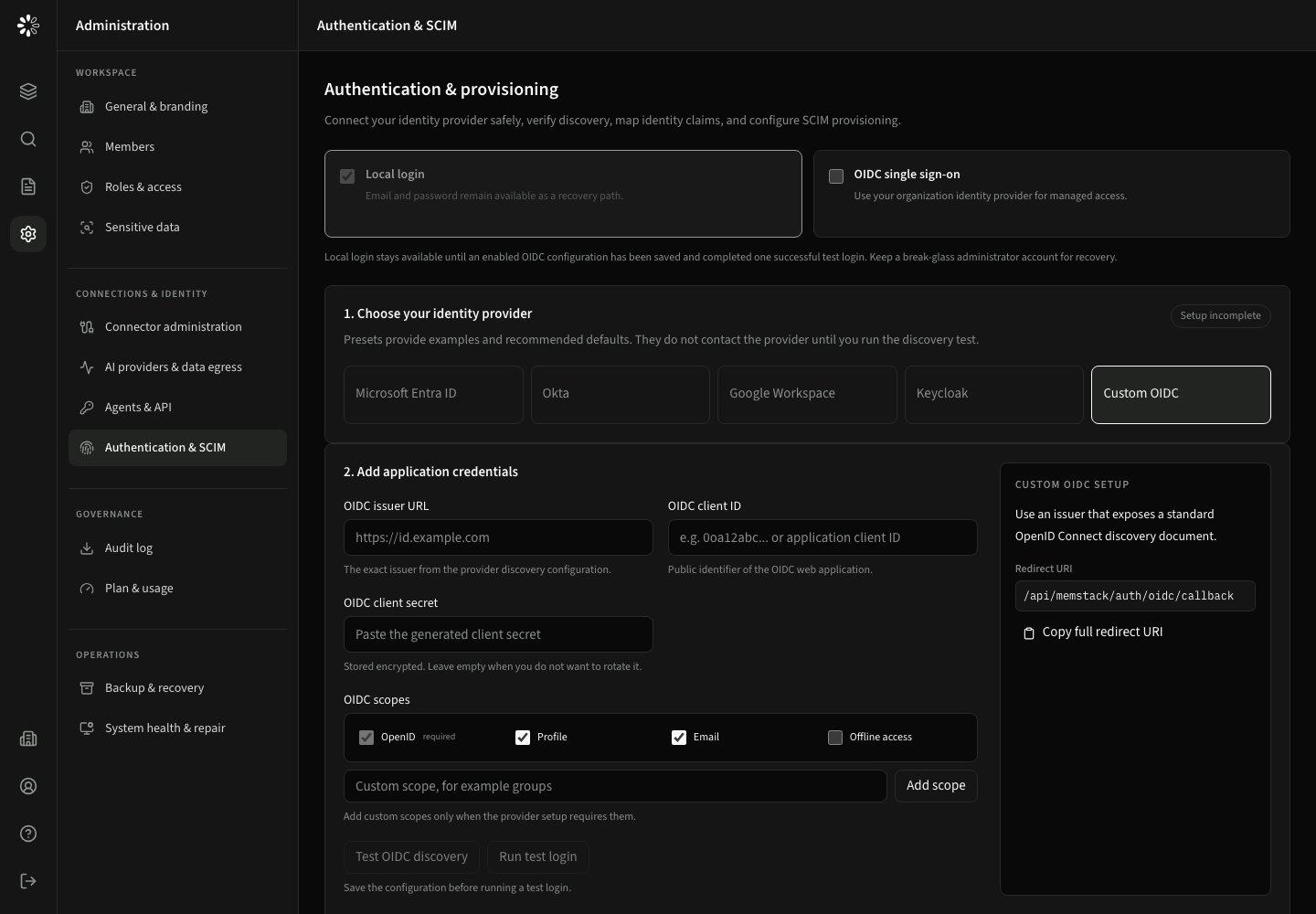
Open Administration → Connections & identity → Authentication & SCIM to connect CogLake to Microsoft Entra ID, Okta, Google Workspace, Keycloak, or another standards-compliant OpenID Connect provider.
OIDC setup
- Enable OIDC single sign-on. Provider and credential controls stay hidden until OIDC is enabled.
- Choose a provider preset and register the displayed callback URL.
- Enter the issuer URL, client ID, and client secret. After saving, CogLake shows only that a secret is configured.
- Configure scopes.
openidremains required;profile,email, andoffline_accessare explicit choices. - Map email, display-name, and group claims under the advanced settings.
- Select the default role and optional required identity-provider groups.
- Run discovery, save, and complete a test login before disabling local login.
MFA policy
The organization-wide control is under Administration → Connections & identity → Authentication & SCIM → Require MFA for every SSO sign-in. The identity provider performs the second factor; CogLake validates its assurance claim before accepting the session. Claim mapping appears only when this policy is enabled.
Personal My settings → Sign-in & security distinguishes provider-managed accounts from supported local SaaS accounts. Local SaaS accounts can configure authenticator-based TOTP and recovery codes. This is separate from the SSO provider's MFA policy; do not assume that changing one configures the other. See personal MFA and recovery.
SCIM and group provisioning
Enable SCIM when your identity provider should create, update, disable, and group users automatically. Token, endpoint, and group-mapping controls remain hidden until provisioning is enabled. SCIM is configured separately from OIDC, so an organization may use provisioning without using the same provider for interactive sign-in.
Safe rollout
- Keep a tested break-glass recovery administrator while changing identity settings.
- Use HTTPS redirect URLs in production.
- Rotate OIDC and SCIM secrets without deleting existing mappings.
- Verify deprovisioning and group removal, not only successful login.