

Search with Discover
Search permission-filtered knowledge and understand why each result was returned.
Discover searches internal workspaces and connected sources visible to the signed-in user. Enter natural language, an exact phrase, a filename, an identifier, or a business term and select Search.
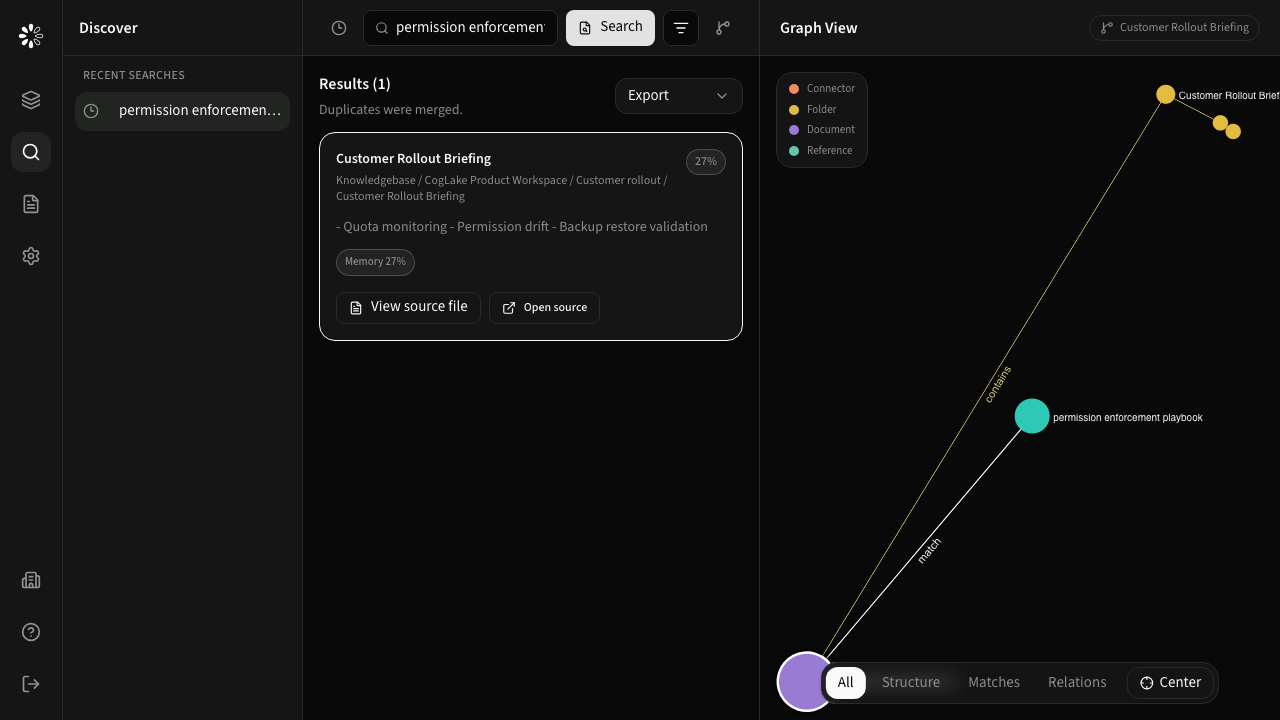
Results
Results are merged by source file so multiple matching sections do not produce repetitive cards. A result can include:
- file title and source path,
- a matching excerpt,
- overall relevance,
- keyword, semantic, and metadata contribution,
- matching sections,
- original provider URL and stable document identity,
- email sender, recipient, and date metadata where applicable.
View source file opens the document inside CogLake with the matching section highlighted when available. Open source opens the original provider location.
Recent searches
Recent searches belong to the current user. Select one to restore its stored response, or hide the recent-search sidebar with the clock button when more room is needed.
Permission behavior
Search applies product permission, workspace or connector scope, and source ACL verification. Hidden documents are not returned merely because their text exists in an index.