

Discover
Search profiles and filters
Choose retrieval behavior, limit sources, and preview results as another role.
Select the filter button beside the search action to configure a run.
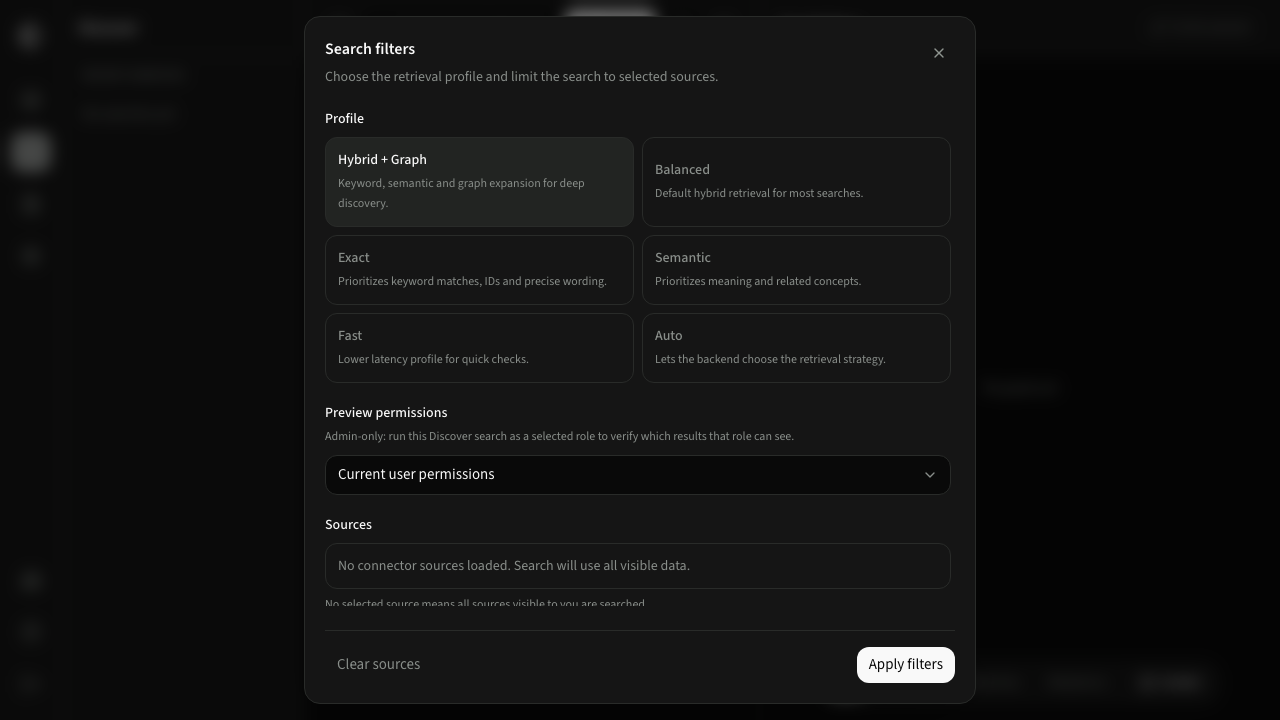
Profiles
| Profile | Use it for |
|---|---|
| Auto | Let CogLake select a suitable retrieval strategy |
| Balanced | General-purpose hybrid retrieval |
| Exact | Identifiers, clauses, filenames, codes, and precise wording |
| Semantic | Meaning, related concepts, and paraphrased questions |
| Hybrid + Graph | Deeper discovery that combines retrieval with linked context |
| Fast | Lower-latency checks with a smaller retrieval budget |
Profiles change how candidate results are gathered and ranked; they never relax permissions.
Sources
Select one or more connector sources to limit the run. Leaving all sources unselected searches all visible internal and connected knowledge.
Preview permissions
Users with roles:manage can run the search as a selected role. This is useful for checking what a member, department, or custom role would receive. The preview affects the search request only; it does not modify the administrator's account or the selected role.