

Knowledge Base
Knowledge Base overview
Browse internal workspaces and connected sources from one consistent file experience.
Knowledge Base combines two kinds of source:
- Internal workspaces hold files managed directly in CogLake.
- Connected sources expose synchronized provider content read-only, using its original hierarchy where possible.
Use the selector above the tree to switch between company workspaces, personal workspaces, and connectors available to your role.
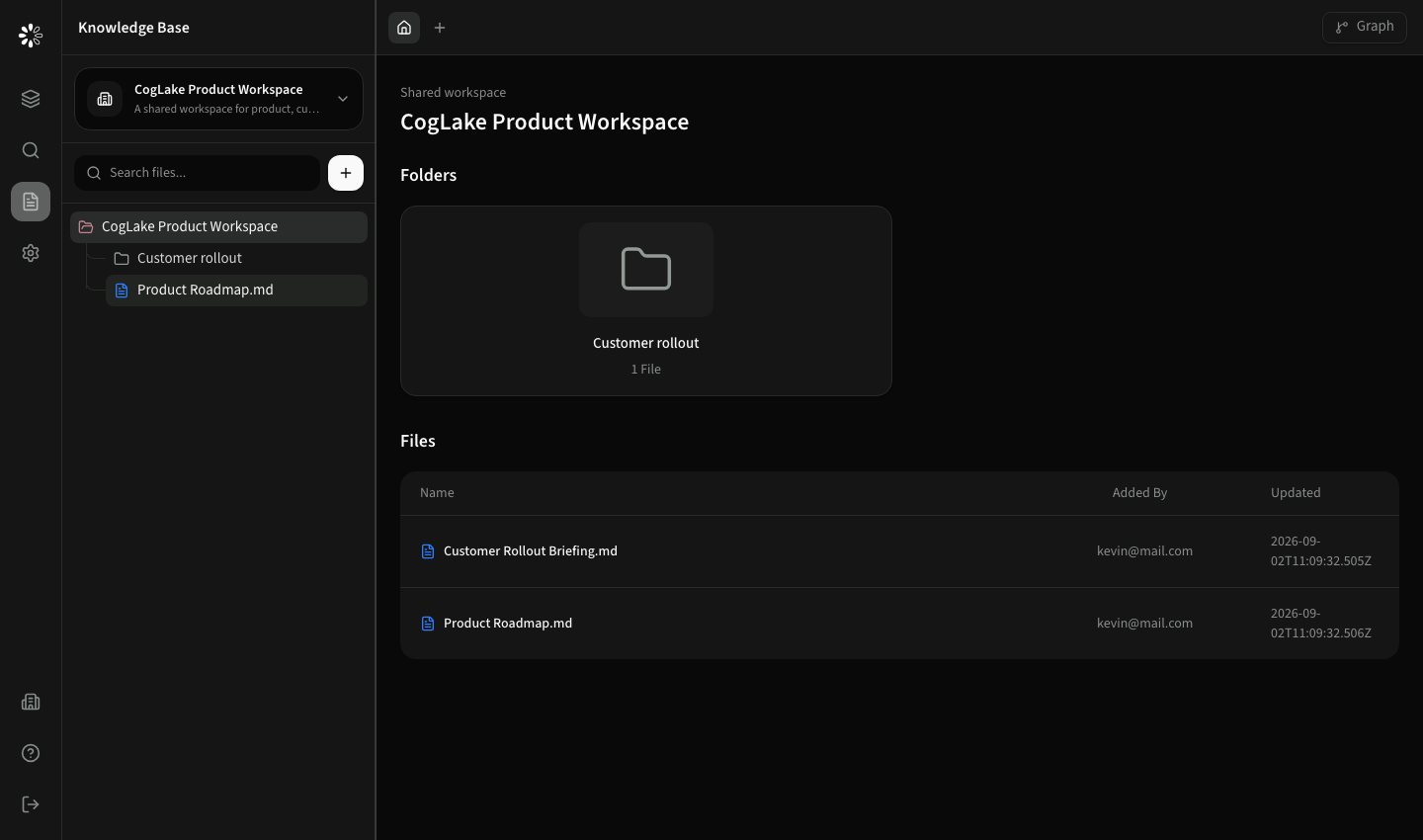
- 1Choose a workspace or connector
- 2Browse or search files
- 3Open a preview
- 4Add permitted notes
- 5Find it in Discover
Layout
- The left sidebar contains the source selector, file search, and expandable tree.
- The tab row keeps multiple files open. A new empty tab starts at the current root view.
- The main area shows folders, files, editors, or a full-width preview.
- Graph opens relationships for the selected knowledge context when graph data is available.
- Add knowledge in the header opens assisted capture for the selected internal workspace. The plus menu beside search remains available for direct uploads, folders and notes.
Connected sources
Connected files are read-only in CogLake. Folder structure, file names, email grouping, original links, and previews come from the synchronized source. Notes can still be attached when your role permits them, without modifying the provider file.
Continue with workspaces and files or previews and notes.